Mastering a uv flatbed ink printer requires more than just hitting the print button. To produce high-quality graphics on glass, acrylic, wood, or metal, you must understand how to layer colors and white ink within your design software. Proper layering ensures color accuracy, prevents dullness, and increases the durability of your prints.
Why Layering Matters in a UV Flatbed Ink Printer
A uv flatbed ink printer uses UV-curable inks that harden instantly under ultraviolet light. This allows for printing on non-porous surfaces. However, standard CMYK inks are naturally transparent. If you print directly onto a dark or clear substrate, the colors will disappear or look muddy.
White ink serves as the essential foundation. It performs three critical roles:
- Underprinting: Acts as a base layer on dark materials.
- Brightness: Enhances the vibrancy of the CMYK layer.
- Opacity: Blocks light for backlit or double-sided transparent prints.
Without a strategic white layer, even the most advanced uv ink printer cannot achieve professional results.
Common Layer Structures for Professional Results
Different materials require different ink arrangements. Here are the three most common structures used by industry professionals:
1. White Base Layer (White → Color)
This is the standard for dark materials like black acrylic or wood. The uv ink creates a solid white bed first, and the CMYK colors are printed on top. This prevents the dark background from “eating” your colors.

2. Backlit/Reverse Printing (Color → White)
Used frequently for clear acrylic signage. You print the color layer first and then cover it with white ink. This allows the graphic to be viewed through the clear material while maintaining total opacity.
3. Sandwich Printing (Color → White → Color)
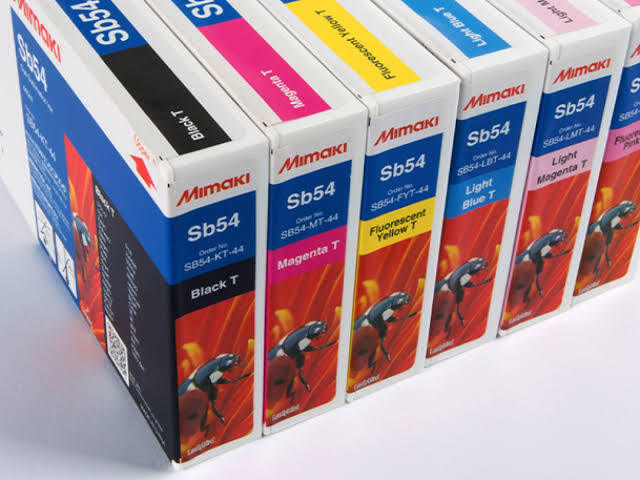
This complex method is used for double-sided graphics on glass or transparent dividers. It ensures the image looks correct from both sides. High-performance systems, such as those using mimaki uv ink, handle these multiple passes with extreme precision.
Software Preparation and Technical Setup
Before sending a job to your uv flatbed ink printer, you must prepare the artwork in programs like Adobe Illustrator or CorelDRAW.
- Create a Spot Channel: Most RIP software (like Mimaki RasterLink or Roland VersaWorks) recognizes white ink via a “Spot Color.” You must create a separate layer and name it specifically (e.g.,
Spot_White). - Vector Over Raster: Use vector paths for your white layers to ensure sharp, clean edges.
- The Choking Technique: Slightly “choke” or shrink the white layer (by about 0.1mm) compared to the color layer. This prevents a thin white outline from showing around the edges of your design due to minor registration shifts.
Mimaki UV Ink and Advanced Performance
Printers optimized for mimaki uv ink offer superior control over white ink density. This is vital because too much white ink can lead to cracking, while too little results in poor opacity.
Aura Sign Advertising is a leading provider in the UAE, specializing in the trading and servicing of these advanced technologies. Their portfolio includes world-class brands like Mimaki, Roland, and Epson. For businesses looking for deeper industry insights or technical standards in the region, resources like Izra UAE provide valuable context on digital printing evolution.
UV DTF Ink vs. Traditional Flatbed Layering
While a uv flatbed ink printer is the gold standard for rigid panels, uv dtf ink is a rising alternative for irregular objects. UV DTF involves printing onto a carrier film first. However, for industrial-grade signage and large-scale wood or metal prints, the direct flatbed method remains unmatched for speed and adhesion.
Common Mistakes to Avoid
- Incorrect Spot Naming: If your RIP software expects
RDG_WHITEand you name itWhite_Ink, the printer will ignore the white channel entirely. - Neglecting Material Tests: Different plastics react differently to UV light. Always run a small test to check ink adhesion.
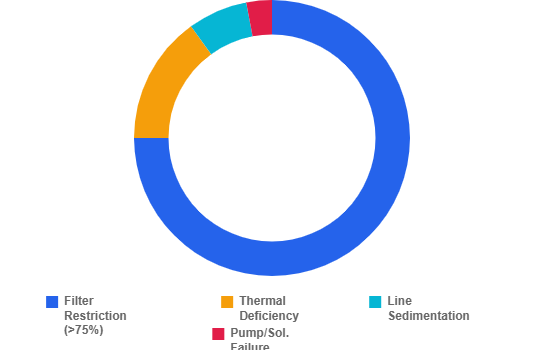
- Ignoring Maintenance: White ink is heavier than CMYK and can settle. Regular maintenance is required to prevent head clogs in your uv ink printer.
How Aura Sign Advertising Supports Your Workflow
Aura Sign Advertising is a dynamic company dedicated to the support of advanced digital printing technologies. Based in the UAE, we provide comprehensive solutions including:
- Trading of high-end machines (KingJet, MTuTech, Zhongliqi).
- Dedicated after-sales technical servicing.
- Annual Maintenance Contracts (AMCs) to ensure your uv ink printer never sees downtime.
Whether you are mastering mimaki uv ink applications or exploring new uv dtf ink transfers, our expert team ensures your equipment performs at its peak.
Conclusion
Correct color and white ink layering is the difference between a mediocre print and a masterpiece. By understanding how to manipulate your software and your uv flatbed ink printer, you can unlock endless possibilities on almost any material. From white underprinting to complex sandwich layers, mastering these techniques will reduce waste and increase your production quality.