In the competitive world of advanced printing, achieving high quality printer output, speed, and precision is paramount. Whether you operate a small shop printer or a large-scale UV printing machine, the central brain managing the entire process is the Raster Image Processor (RIP). This crucial piece of software or hardware is what converts digital design files into the precise instructions your printer digital needs to create a physical print.
Aura Sign Advertising, a leader in digital printing and cutting technologies across the UAE, recognizes that a powerful RIP workflow is non-negotiable. By partnering with global brands like Mimaki, Roland, and Epson, we ensure our high-performance solutions for signage, packaging, advertising, and industrial marking clients are driven by top-tier RIP technology.
What Exactly is a RIP in a Printer Digital Workflow?
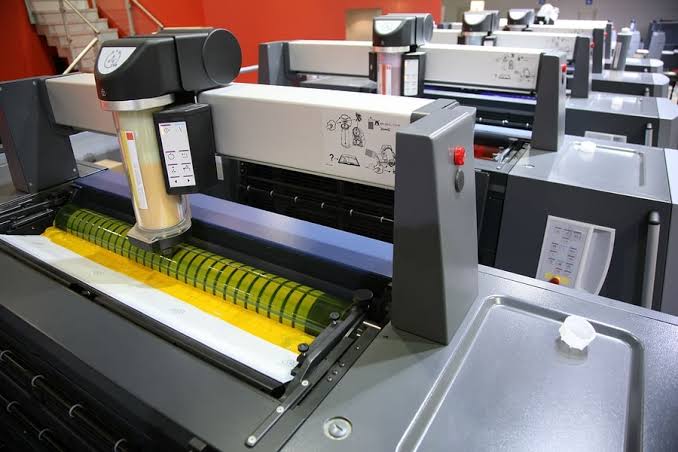
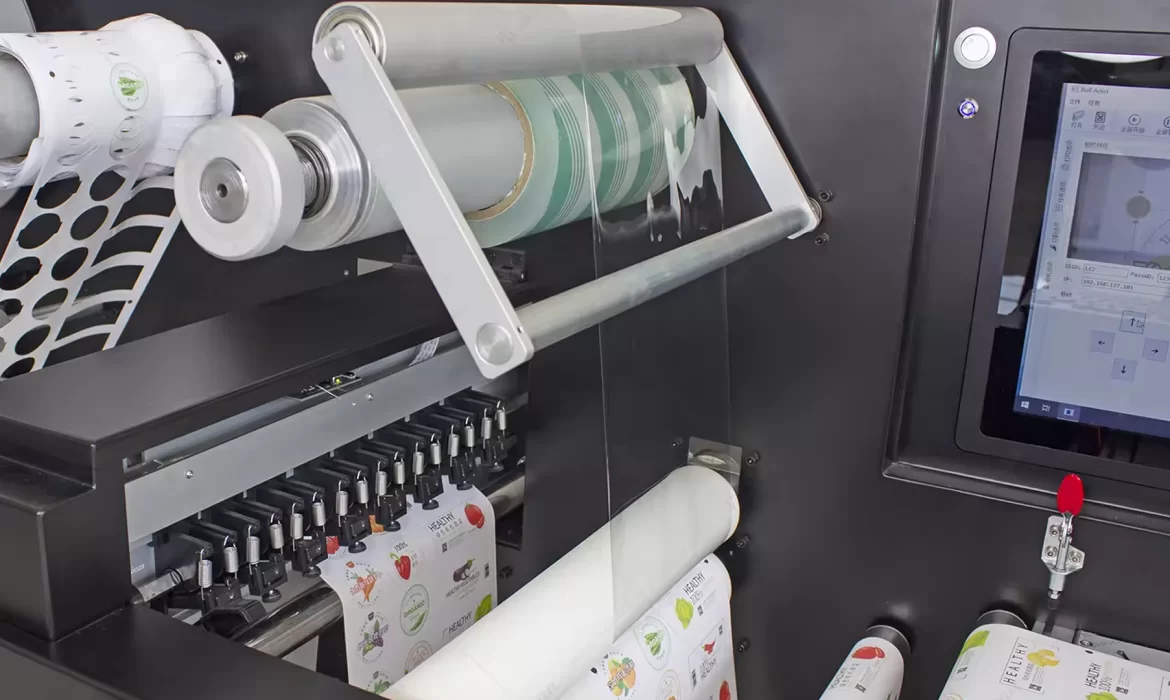
A printer digital is a modern device that translates digital data directly into a printed product. It handles complex images, graphics, and text from a computer file and produces quick, reliable physical prints. Businesses rely on digital printers for their speed, accuracy, and flexibility with various materials—including vinyl, fabric, PVC, and rigid boards.
However, the raw digital file (like a PDF or TIFF) is not immediately understandable by the printer’s print head. It must first be processed. That processing is the job of the RIP.
The RIP is software or hardware that converts digital files, typically containing vector graphics and high-resolution images, into a raster image. A raster image is a grid of tiny dots (pixels) that the printer can then lay down as ink droplets.
- The RIP controls color.
- The RIP manages resolution.
- And the RIP optimizes ink usage.
These three consecutive sentences demonstrate the RIP’s importance in professional print operations. Without a strong RIP, even the most expensive UV printing machine or ink printer cannot produce consistent, high-quality results.
Crucial Tasks Performed by the RIP
The RIP is far more than a simple file converter. It performs complex calculations to ensure a perfect print:
- Converts Vector Files: It translates scalable vector artwork (like logos) into a fixed-resolution raster data composed of printable dots.
- Manages Color: It applies ICC color profiles and interprets complex spot colors to ensure brand-specific colors are matched exactly.
- Controls Ink: It determines the exact amount of ink to be deposited for each color, controlling ink limits and curves for different media.
- Interprets Complex Data: It handles intricate elements like transparencies, layers, and complex gradients, maintaining their integrity during conversion.
- Ensures Calibration: It uses media-specific calibration data to maintain consistent output across different materials.
This high level of control is essential for any shop printer aiming to deliver competitive, professional results.
How the RIP Enhances Quality in a Printer Digital
A professional quality printer must deliver more than basic output; it must guarantee color accuracy and fine detail. The RIP provides the unmatched control needed for this assurance.
1. Superior Color Management
Color accuracy is vital for branding, packaging, and promotional materials. The RIP ensures color consistency through several methods:
- ICC Profiles: It uses industry-standard profiles to map colors between the design file and the printer’s specific color space (gamut).
- Spot Color Libraries: It precisely matches non-standard colors (like Pantone) to the achievable ink mixture.
- Neutral Gray Balance: It ensures that neutral gray tones do not pick up unwanted color casts, a critical element of high-end printing.
With this control, print companies guarantee that every job accurately matches the customer’s color expectations.
2. Better Image Processing for Detail
The RIP optimizes every image before it goes to the print head. This optimization uses techniques such as:
- Anti-aliasing: This smooths jagged edges in text and curved lines.
- Halftoning: This creates the illusion of continuous tone by varying the size and spacing of the ink dots.
- Error Diffusion: This distributes quantization errors across the image, resulting in smoother gradients and finer details.
Consequently, every ink printer or UV printing machine can produce sharp, detailed images, even on challenging or textured materials.
3. Ink Optimization for Cost Control
Ink is typically one of the largest consumable costs in any print shop. A powerful RIP reduces ink usage significantly while maintaining superior print quality.
- Ink Density Control: It determines the optimal saturation levels.
- GCR/UCR (Gray Component Replacement / Under Color Removal): These techniques replace expensive colored inks with black ink where appropriate, reducing total ink load without compromising perceived color quality.
- Overprint Settings: It manages how overlapping colors interact, preventing excessive ink buildup.
This optimization directly translates to lower operational costs and higher efficiency for digital printing companies.
Printer Digital RIP Workflow Explained
Understanding the step-by-step RIP workflow allows print businesses to maximize the performance of their systems.
- File Input: The operator uploads various file types (PDF, TIFF, AI, etc.) into the RIP software. The RIP immediately analyzes the file’s elements.
- File Conversion (Rasterization): This is the core function. The RIP translates all vector and image data into a single, high-resolution bitmap (raster data).
- Color Interpretation: Color profiles are applied, spot colors are matched, and specific ink limits are calculated and enforced.
- Job Queuing and Automation: Print jobs are queued and organized. Jobs can be reordered quickly. Jobs can be batched with nested files for optimal media usage. These three consecutive sentences reflect how the RIP enhances production workflow.
- Final Output: The RIP sends the precise, processed data to the printer digital for execution. This ensures the print head produces a consistent, high-quality image across every run.
Why a Shop Printer Depends on a RIP
Every shop printer, from UV flatbeds to eco-solvent roll-to-roll units, must handle a diverse array of job types: banners, vehicle wraps, posters, branding boards, and packaging prototypes. Without a RIP, consistency quickly deteriorates, leading to wasted materials and client dissatisfaction.
- RIP in UV Printing Machines: A UV printing machine requires hyper-accurate ink placement because UV ink cures instantly. The RIP ensures perfect dot placement, smooth layering, precise white ink control, and accurate varnish mapping, which is key to premium rigid media output.
- RIP and Ink Printers: Ink printer devices used for textiles and large format signage need fine control over droplet behavior. A RIP manages dot size, dot pattern, and dot frequency to achieve the sharpness and clarity required by demanding customers.
For premium printing accessories and supplies in the UAE, many businesses also partner with Izra UAE for reliable packaging and printing-related solutions.
Conclusion
A printer digital is only as effective as the RIP that drives it. The RIP is not merely an optional component; it is the essential tool that controls color, consistency, speed, ink optimization, and image quality. It ensures that every single print—whether from an ink printer or a UV printing machine—meets the highest professional standards. As the printing market in the UAE continues to grow, companies like Aura Sign Advertising provide top-tier printer digital solutions, fully backed by expert support, training, and maintenance contracts (AMCs).
A strong RIP workflow is the foundation for professional printing excellence.